5 Best Social Media Publishing Tools in 2026
 Published On March 20th, 2026
Imagine a video editor, a resizing tool, a caption writer, a scheduling platform, a separate email approval thread and native apps to see how the post would look in the feed.
Six tools. One client. One piece of content.
That’s not a workflow, that’s complete chaos and stress.
It’s the kind of problem social media publishing platforms tend to solve in 2026. They do not just schedule posts; they pack that whole chain into one workspace. This way, your team can create content instead of chasing it down.
In this guide, you’ll get a genuine breakdown of the best social media publishing tools to see what simplifies workflow and what moves the problem to somewhere else.
Table of Contents
What Features Should You Look for in Social Media Publishing Tools?
All social media management platforms are not the same. Before you buy one, what matters most in the real world is this:
Multi-Platform Publishing
You want your tool to automatically publish across Instagram, Facebook, LinkedIn, TikTok, YouTube, and more without having to reformat each network manually. Distribution of cross-platform content should not be a second job.
Visual Content Calendar
No matter what, you need a clean drag-and-drop calendar. So you need to see the whole publishing pipeline at a glance to identify gaps, clashes and off-brand days before they become client problems. No more text-based queues!
Team Collaboration and Approvals
Workflows for content approval prevent posts from going live without sign-off. And whether it’s an internal two-step review or a client-facing approval link, collaboration tools should come standard and not be locked behind some premium plan.
Scheduling Flexibility
From bulk scheduling to evergreen content recycling to optimal-time publishing, your social media scheduling tool should handle large posting volumes without you having to schedule each post manually.
Analytics and Reporting
But you need more than a vanity metric dashboard. Look for post-level performance data such as reach, impressions, engagement, clicks and more, so that you can export clean reports for clients.
Unified Social Inbox
Workflow for comments, DMs and mentions is broken across native platforms. With the right social media management platform, everything gets consolidated in one workspace.
5 Best Social Media Publishing Tools in 2026
1. GUDSHO Social
A social media management tool built for planning, creation, publishing and analytics without the need for manual work.
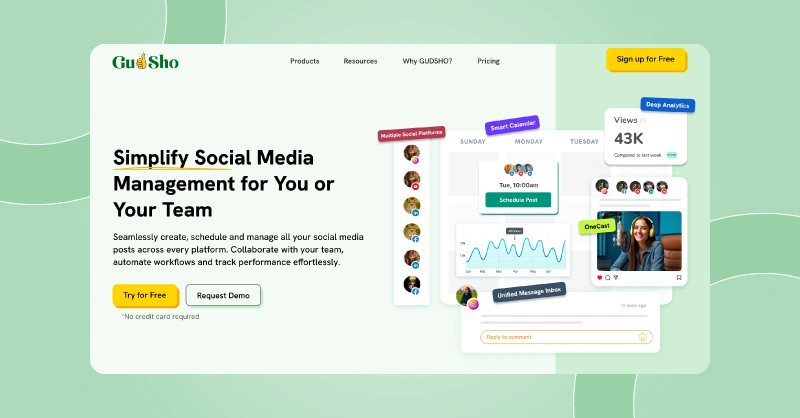
Social media publishing platforms expect you to have your content finished. But GUDSHO Social flips it entirely. You can edit your video, resize it for Reels, write captions, schedule it and track its performance all without opening another app. This changes the timeline for content production for agencies with video-first brands and clientele.
The visual content calendar lets you schedule across various social channels. Also, easily identify gaps before they become missed deadlines, posts can be shuffled in seconds, and posting consistency can be maintained without a spreadsheet accompanying the tool. All comments, mentions and reactions are consolidated into one social inbox that is filterable, assignable and actionable without switching tabs. For agencies that want an end-to-end social media management platform, GUDSHO Social is the perfect Choice.
Key Features of GUDSHO Social
- Built-in Video Editor: You can trim, crop, split and add thumbnail to your videos with no external editing platforms needed.
- Visual Content Calendar: Preview and manage your full publishing schedule across all channels while gaps and scheduling clashes show up before a post goes live.
- One-Click Video Resizer: Turn any video’s aspect ratio to match the social media channel you want with a click.
- Multi-Platform Auto-Publishing: Schedule and auto-publish to Facebook, Instagram, LinkedIn and YouTube from a single dashboard without any manual reformatting.
- Unified Social Inbox: Manage every comment, mention and reaction from all connected profiles from one unified Social Inbox with filters, team assigning and message prioritization.
- Content Repurposing: Turn long videos into short clips and vise versa to post them directly as Shorts, Stories, reels or social posts.
- Advanced Analytics Dashboard: Track all post-level performance metrics such as reach, impressions, clicks, shares, video views and engagement rate across all connected platforms.
- Multi-Profile Management: Manage 30 social accounts and publish unlimited posts from one workspace each client gets its own calendar, assets and analytics.
2. Later
A visual social media publishing platform that makes content planning easy.
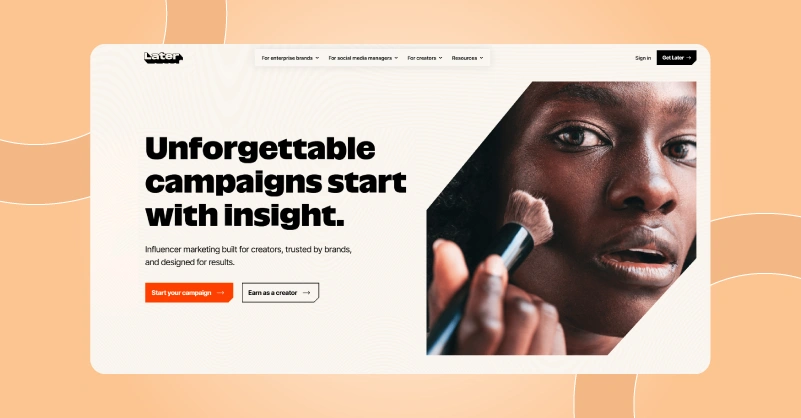
Later was built for social media managers who think about grids, aesthetics and visual content themes instead of data streams and monitoring dashboards. If you are one of those people who prefer visual-first workflows, Later is by far the easiest social media publishing tool on this list. This tool really changed how we planned compared to all the others in the market.
Now, instead of a text-based list of your scheduled posts, Later gives you a visual grid of what’s coming up so you can see exactly how your Instagram feed will look before any posts go live. With the link in the bio landing page feature, you can turn one profile into a multi-destination conversion hub. And the best time to post recommendations is based on your audience’s activity and not generic industry times. Later is all about making visual content planning and publishing a breeze for everyone.
Key Features of Later
- Visual Content Calendar: You can move content around visually, see how posts relate thematically, and plan content campaigns over weeks with the same visual intuition you use for your social media.
- Instagram Grid Preview: Before you schedule anything, make sure to see exactly what your next posts will look like on your Instagram profile grid to remove guesswork from visual content across posts.
- Link in Bio Landing Page: A branded link on the bio page with multiple CTA buttons for products, blog posts, sign-up forms and event pages pointing to your profile link.
- Multi-Platform Auto-Publishing: Auto-publish across Instagram, TikTok, Facebook, LinkedIn, Pinterest and X to maintain consistent posting among socials.
- Best Time to Post Recommendations: It looks at your account’s historical engagement data and makes recommendations for optimal posting windows so you can time your posts to get maximum organic reach.
3. MeetEdgar
The evergreen social media scheduling tool that keeps your content fresh and your feeds consistent.
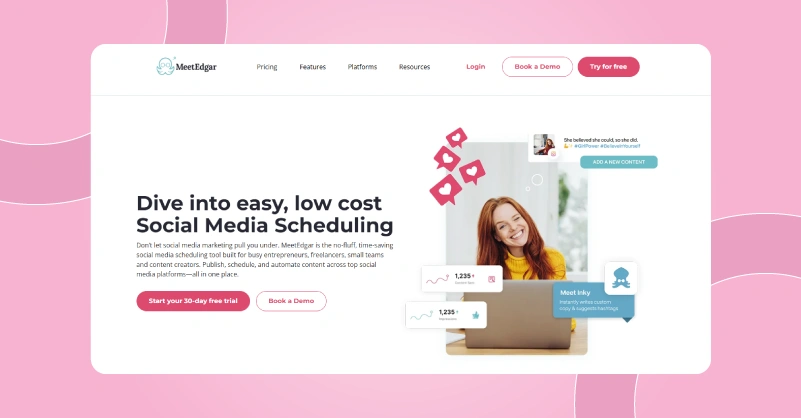
Here is the question most social media scheduling tools never answer. When your best content goes out there and gets posted again, what happens to it after that? MeetEdgar revolves around that answer. Unlike most other tools that work on a forward-only queue, MeetEdgar is all about evergreen content management.
Set up your posts in content categories, select how often each category publishes, and it will rotate and recycle your best stuff every day. You keep your feeds going even during weeks where nothing new is created. MeetEdgar is among the best free social media management tools for small business owners and solo marketers who want a publishing system without daily manual labor.
Key Features of MeetEdgar
- Category-Based Content Library: Organize your content into custom categories like promotional, educational, testimonial, curated and seasonal, So you can publish each category once per month.
- Evergreen Content Recycling: Republish your best-performing posts at defined intervals. So even for brands with little capacity to create content, this content recycling system adds value to every piece of content produced.
- Auto-Variations: It creates multiple versions of each posts with different captions and different angles so the same content doesn’t look exactly the same when it recycles.
- Bulk Content Import: You can import hundreds of posts at a time via CSV or RSS feed integration to quickly build your content library without scheduling posts one by one.
- Analytics and Performance Tracking: Track engagement metrics such as clicks, likes, shares, comments and reach across all connected platforms.
4. Buffer
A social media scheduling tool known for its simplicity and Usability.
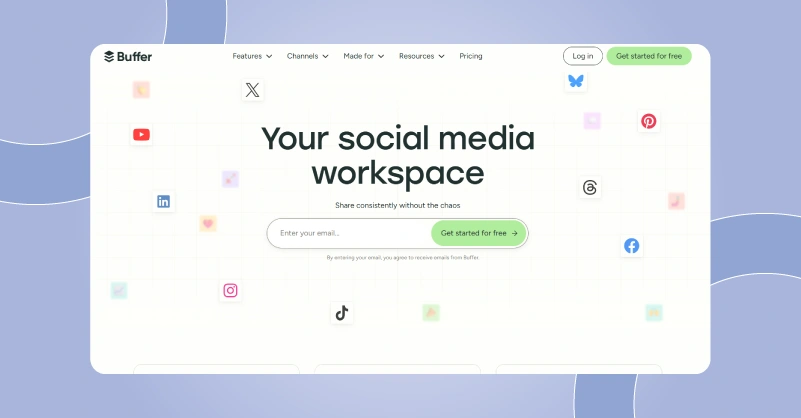
For anyone frustrated by their current tool’s complexity, Buffer is the best tool for manage multiple social media accounts. There was one promise behind the buffer, making social media publishing easy for everyone. No nested menus. No overwhelming dashboards. No three-day onboarding. You get a focused workspace where you plan content, make it platform-specific, drop it in the queue and publish it.
We were connecting four client accounts in ten minutes and scheduling content within fifteen minutes. With more complex platforms it took about an hour for new team members to get comfortable. The queue-based scheduling system keeps feeds alive without constant manual intervention, and the AI writing assistant takes care of those slowdowns that happen eventually on every content calendar. But as a free social media management tool that small teams, solo marketers and growing agencies can use daily to get their publishing workflow organized.
Key Features of Buffer
- Queue-Based Scheduling: Priority publishing times for each channel are set and content is dropped into a shared queue. Because the buffer publishes at those times, you don’t have to do it daily.
- Per-Platform Post Customization: Create one post with custom captions, hashtags and media for each social network while keeping track of platform character limits and formatting conventions.
- AI Writing Assistant: With a few clicks, Buffer’s built-in AI creates captions, rewrites copy in different tones and suggests post ideas while keeping content on-brand.
- Visual Content Calendar: Lay out an entire week or month of content in a clean calendar view. A calendar on Buffer shows what’s queued, what’s published, and where the gaps are.
- Link-in-Bio Microsites: Create a link-in-Bio landing page for Instagram and TikTok profiles. You can add several CTAs that direct followers to products, blog posts or sign-up forms from one profile link.
5. Planable
A social media management platform built for teams that create, review and approve content.
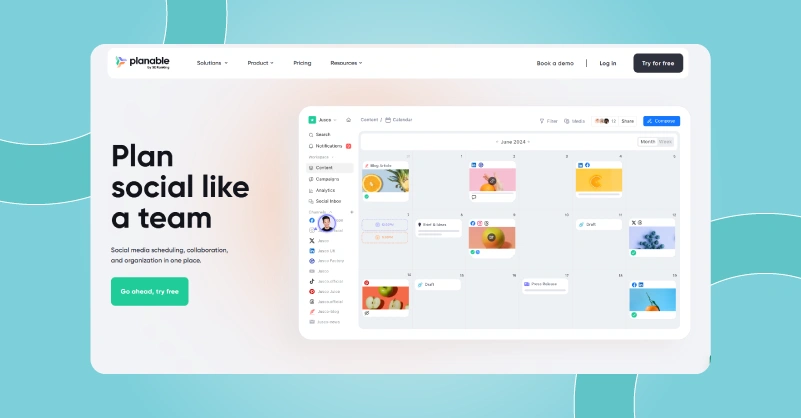
The rest of this list is all about publishing. Because Planable is built around collaboration, it is also the most agency-friendly social media publishing platform in this lineup. Our first experience with Planable was during content review cycles for two client accounts. So rather than sending something out by email, chasing approvals on Slack and publishing from a separate scheduler. It all happened in one visual workspace where everyone could see, comment and approve content before it hit a live account.
Also, the guest views were a productivity booster. As clients could review and approve it without creating a Planable account. And for agencies where the bottleneck is not publishing but getting content approved cleanly before publishing, Planable is the most dedicated solution on this list.
Key Features of Planable
- Visual Content Calendar: You get pixel-perfect previews of every post as it appears on each platform. You can plan, drag & drop posts in a native-looking layout without the formatting hiccups.
- Zero-Friction Approval Workflows: Create multi-step approval chains with comments, revisions and sign-off tracking built right into the platform to see the approvals, feedback and signs off without a single email thread.
- Guest View Links: Share content with clients or outside parties via a shareable review link with no Planable account required. Clients see a branded preview of their content and approve or comment directly.
- AI-Powered Post Creation: Get new post ideas and it speeds up the drafting process for agencies working with many clients, all while maintaining the brand’s personality across all platforms and content formats.
- Canva Integration: It allows you to upload design files directly from Canva to your Planable workspace instead of downloading and re-uploading them manually.
Stop letting a bad publishing tool slow your best content down
So finding the right social media publishing platform in 2026 isn’t about finding the one with the longest feature list. Just pick the one that removes the most friction from your everyday workflow.
And for a video-first agency, GUDSHO Social removes the most operational friction. Editing, scheduling, inbox and social media analytics in one workspace are structural advantages that no tab-switching workflow can match. For those of you working with Instagram or TikTok, Later’s visual calendar and grid preview make content planning fun and consistent – no matter who your clients are.
Need a content recycling system that works long after the publish date? MeetEdgar does that for you automatically. And if you’re a small team or solo marketer who wants simple, clean scheduling without fuss, Buffer still offers a free plan to get you started on social media scheduling.
For small businesses or agencies, the best social media management platform should solve your biggest daily problem today, not tomorrow.
Pick the bottleneck. Find the tool that fixes it. You’ll notice the difference before the month even begins!

Imagine a video editor, a resizing tool, a caption writer, a scheduling platform, a separate email approval thread and native apps to see how the post would look in the feed.
Six tools. One client. One piece of content.
That’s not a workflow, that’s complete chaos and stress.
It’s the kind of problem social media publishing platforms tend to solve in 2026. They do not just schedule posts; they pack that whole chain into one workspace. This way, your team can create content instead of chasing it down.
In this guide, you’ll get a genuine breakdown of the best social media publishing tools to see what simplifies workflow and what moves the problem to somewhere else.
Table of Contents
What Features Should You Look for in Social Media Publishing Tools?
All social media management platforms are not the same. Before you buy one, what matters most in the real world is this:
Multi-Platform Publishing
You want your tool to automatically publish across Instagram, Facebook, LinkedIn, TikTok, YouTube, and more without having to reformat each network manually. Distribution of cross-platform content should not be a second job.
Visual Content Calendar
No matter what, you need a clean drag-and-drop calendar. So you need to see the whole publishing pipeline at a glance to identify gaps, clashes and off-brand days before they become client problems. No more text-based queues!
Team Collaboration and Approvals
Workflows for content approval prevent posts from going live without sign-off. And whether it’s an internal two-step review or a client-facing approval link, collaboration tools should come standard and not be locked behind some premium plan.
Scheduling Flexibility
From bulk scheduling to evergreen content recycling to optimal-time publishing, your social media scheduling tool should handle large posting volumes without you having to schedule each post manually.
Analytics and Reporting
But you need more than a vanity metric dashboard. Look for post-level performance data such as reach, impressions, engagement, clicks and more, so that you can export clean reports for clients.
Unified Social Inbox
Workflow for comments, DMs and mentions is broken across native platforms. With the right social media management platform, everything gets consolidated in one workspace.
5 Best Social Media Publishing Tools in 2026
1. GUDSHO Social
A social media management tool built for planning, creation, publishing and analytics without the need for manual work.
Social media publishing platforms expect you to have your content finished. But GUDSHO Social flips it entirely. You can edit your video, resize it for Reels, write captions, schedule it and track its performance all without opening another app. This changes the timeline for content production for agencies with video-first brands and clientele.
The visual content calendar lets you schedule across various social channels. Also, easily identify gaps before they become missed deadlines, posts can be shuffled in seconds, and posting consistency can be maintained without a spreadsheet accompanying the tool. All comments, mentions and reactions are consolidated into one social inbox that is filterable, assignable and actionable without switching tabs. For agencies that want an end-to-end social media management platform, GUDSHO Social is the perfect Choice.
Key Features of GUDSHO Social
- Built-in Video Editor: You can trim, crop, split and add thumbnail to your videos with no external editing platforms needed.
- Visual Content Calendar: Preview and manage your full publishing schedule across all channels while gaps and scheduling clashes show up before a post goes live.
- One-Click Video Resizer: Turn any video’s aspect ratio to match the social media channel you want with a click.
- Multi-Platform Auto-Publishing: Schedule and auto-publish to Facebook, Instagram, LinkedIn and YouTube from a single dashboard without any manual reformatting.
- Unified Social Inbox: Manage every comment, mention and reaction from all connected profiles from one unified Social Inbox with filters, team assigning and message prioritization.
- Content Repurposing: Turn long videos into short clips and vise versa to post them directly as Shorts, Stories, reels or social posts.
- Advanced Analytics Dashboard: Track all post-level performance metrics such as reach, impressions, clicks, shares, video views and engagement rate across all connected platforms.
- Multi-Profile Management: Manage 30 social accounts and publish unlimited posts from one workspace each client gets its own calendar, assets and analytics.
2. Later
A visual social media publishing platform that makes content planning easy.
Later was built for social media managers who think about grids, aesthetics and visual content themes instead of data streams and monitoring dashboards. If you are one of those people who prefer visual-first workflows, Later is by far the easiest social media publishing tool on this list. This tool really changed how we planned compared to all the others in the market.
Now, instead of a text-based list of your scheduled posts, Later gives you a visual grid of what’s coming up so you can see exactly how your Instagram feed will look before any posts go live. With the link in the bio landing page feature, you can turn one profile into a multi-destination conversion hub. And the best time to post recommendations is based on your audience’s activity and not generic industry times. Later is all about making visual content planning and publishing a breeze for everyone.
Key Features of Later
- Visual Content Calendar: You can move content around visually, see how posts relate thematically, and plan content campaigns over weeks with the same visual intuition you use for your social media.
- Instagram Grid Preview: Before you schedule anything, make sure to see exactly what your next posts will look like on your Instagram profile grid to remove guesswork from visual content across posts.
- Link in Bio Landing Page: A branded link on the bio page with multiple CTA buttons for products, blog posts, sign-up forms and event pages pointing to your profile link.
- Multi-Platform Auto-Publishing: Auto-publish across Instagram, TikTok, Facebook, LinkedIn, Pinterest and X to maintain consistent posting among socials.
- Best Time to Post Recommendations: It looks at your account’s historical engagement data and makes recommendations for optimal posting windows so you can time your posts to get maximum organic reach.
3. MeetEdgar
The evergreen social media scheduling tool that keeps your content fresh and your feeds consistent.
Here is the question most social media scheduling tools never answer. When your best content goes out there and gets posted again, what happens to it after that? MeetEdgar revolves around that answer. Unlike most other tools that work on a forward-only queue, MeetEdgar is all about evergreen content management.
Set up your posts in content categories, select how often each category publishes, and it will rotate and recycle your best stuff every day. You keep your feeds going even during weeks where nothing new is created. MeetEdgar is among the best free social media management tools for small business owners and solo marketers who want a publishing system without daily manual labor.
Key Features of MeetEdgar
- Category-Based Content Library: Organize your content into custom categories like promotional, educational, testimonial, curated and seasonal, So you can publish each category once per month.
- Evergreen Content Recycling: Republish your best-performing posts at defined intervals. So even for brands with little capacity to create content, this content recycling system adds value to every piece of content produced.
- Auto-Variations: It creates multiple versions of each posts with different captions and different angles so the same content doesn’t look exactly the same when it recycles.
- Bulk Content Import: You can import hundreds of posts at a time via CSV or RSS feed integration to quickly build your content library without scheduling posts one by one.
- Analytics and Performance Tracking: Track engagement metrics such as clicks, likes, shares, comments and reach across all connected platforms.
4. Buffer
A social media scheduling tool known for its simplicity and Usability.
For anyone frustrated by their current tool’s complexity, Buffer is the best tool for manage multiple social media accounts. There was one promise behind the buffer, making social media publishing easy for everyone. No nested menus. No overwhelming dashboards. No three-day onboarding. You get a focused workspace where you plan content, make it platform-specific, drop it in the queue and publish it.
We were connecting four client accounts in ten minutes and scheduling content within fifteen minutes. With more complex platforms it took about an hour for new team members to get comfortable. The queue-based scheduling system keeps feeds alive without constant manual intervention, and the AI writing assistant takes care of those slowdowns that happen eventually on every content calendar. But as a free social media management tool that small teams, solo marketers and growing agencies can use daily to get their publishing workflow organized.
Key Features of Buffer
- Queue-Based Scheduling: Priority publishing times for each channel are set and content is dropped into a shared queue. Because the buffer publishes at those times, you don’t have to do it daily.
- Per-Platform Post Customization: Create one post with custom captions, hashtags and media for each social network while keeping track of platform character limits and formatting conventions.
- AI Writing Assistant: With a few clicks, Buffer’s built-in AI creates captions, rewrites copy in different tones and suggests post ideas while keeping content on-brand.
- Visual Content Calendar: Lay out an entire week or month of content in a clean calendar view. A calendar on Buffer shows what’s queued, what’s published, and where the gaps are.
- Link-in-Bio Microsites: Create a link-in-Bio landing page for Instagram and TikTok profiles. You can add several CTAs that direct followers to products, blog posts or sign-up forms from one profile link.
5. Planable
A social media management platform built for teams that create, review and approve content.
The rest of this list is all about publishing. Because Planable is built around collaboration, it is also the most agency-friendly social media publishing platform in this lineup. Our first experience with Planable was during content review cycles for two client accounts. So rather than sending something out by email, chasing approvals on Slack and publishing from a separate scheduler. It all happened in one visual workspace where everyone could see, comment and approve content before it hit a live account.
Also, the guest views were a productivity booster. As clients could review and approve it without creating a Planable account. And for agencies where the bottleneck is not publishing but getting content approved cleanly before publishing, Planable is the most dedicated solution on this list.
Key Features of Planable
- Visual Content Calendar: You get pixel-perfect previews of every post as it appears on each platform. You can plan, drag & drop posts in a native-looking layout without the formatting hiccups.
- Zero-Friction Approval Workflows: Create multi-step approval chains with comments, revisions and sign-off tracking built right into the platform to see the approvals, feedback and signs off without a single email thread.
- Guest View Links: Share content with clients or outside parties via a shareable review link with no Planable account required. Clients see a branded preview of their content and approve or comment directly.
- AI-Powered Post Creation: Get new post ideas and it speeds up the drafting process for agencies working with many clients, all while maintaining the brand’s personality across all platforms and content formats.
- Canva Integration: It allows you to upload design files directly from Canva to your Planable workspace instead of downloading and re-uploading them manually.
Stop letting a bad publishing tool slow your best content down
So finding the right social media publishing platform in 2026 isn’t about finding the one with the longest feature list. Just pick the one that removes the most friction from your everyday workflow.
And for a video-first agency, GUDSHO Social removes the most operational friction. Editing, scheduling, inbox and social media analytics in one workspace are structural advantages that no tab-switching workflow can match. For those of you working with Instagram or TikTok, Later’s visual calendar and grid preview make content planning fun and consistent – no matter who your clients are.
Need a content recycling system that works long after the publish date? MeetEdgar does that for you automatically. And if you’re a small team or solo marketer who wants simple, clean scheduling without fuss, Buffer still offers a free plan to get you started on social media scheduling.
For small businesses or agencies, the best social media management platform should solve your biggest daily problem today, not tomorrow.
Pick the bottleneck. Find the tool that fixes it. You’ll notice the difference before the month even begins!