


The best instant messaging platform is the one that meets your business needs as your team grows. Many businesses start with the leading IM platforms such as Microsoft Teams, Slack, Google Chat, Zoho Cliq, and Discord. These platforms allow teams to communicate seamlessly from any device at an affordable cost.
However, organizations that prioritize customization in their team communication workflow should look for instant messaging software.
This guide differentiates between instant messaging platforms and instant messaging software. We have listed the best in both categories, so that enterprises can choose the right solution.
Comparison of Ready-Made and Self-Hosted Instant Messaging Platforms
Here are our top instant messaging platforms for businesses, including ready-made apps and custom-built instant messaging solutions.
| Platforms | Best for | Deployment model | Pricing | Type |
| Apphitect | SMEs and large organizations that prioritize custom white-label team chat solutions | On-premise and cloud-hosted solution | Custom pricing based on requirements | 4.8 |
| Microsoft Teams | Enterprises | Microsoft ecosystem | Heavy UI | 4.4 |
| MirrorFly | B2B, mid-size, and growing organizations that need data privacy and full infrastructure control | Self-hosted solution | Custom pricing | 4.4 |
| Slack | Teams & startups | App integrations | Expensive | 4.5 |
| Google Chat | Workspace users | Google integration | Limited customization | 4.6 |
| Zoho Cliq | SMBs | Zoho apps | Smaller ecosystem | 4.4 |
| Twilio | Tech-forward and developer-heavy business | Cloud-based platform | Starts at $150/month (per named user) | 4.2 |
| Discord | Communities | Voice channels | Not enterprise-focused | 4.8 |
| Rocket.chat | DevOps teams, government, defense, healthcare, and finance sectors | Self-hosted platform | Starts at $8 per user/month | 4.2 |
| Cometchat | Developers, product managers, and businesses | Self-hosted platform | Starts at $239/month (as per tier) | 4.6 |
| Troop Messenger | Corporate, government, and defense use | Self-hosted platform | Starts at $2.50 per user per month | 4.7 |
| Pumble | Remote teams that need a cost-effective messaging solution | Cloud-based platform | Starts at $2.49 per user/month | 4.5 |
| Flock | Small-to-medium businesses and startups | Cloud-based platform | Starts at $4.50 per user/month | 4.4 |
| Trengo | Companies that are heavily relying on WhatsApp Business | Cloud-based platform | Starts at $125/month (up to 10 users) | 4.3 |
| Chanty | Organizations that want a simple internal communication tool | Self-hosted platform | Starts at $3.00 per user per month | 4.4 |
All ratings are sourced from the G2 website. Most users provide genuine reviews, which helps in choosing the best option
| “The way you communicate in business affects your daily productivity, customer relationships, and employee engagement.” – Sheryl Sandberg, Chairperson at Leanin.org |
How We Evaluated These Instant Messaging Platforms
We evaluated each platform based on:
- Security
- Scalability
- Ease of use
- Collaboration features
- Deployment flexibility
- Integrations
- Pricing
- Customer reviews
- Enterprise readiness
What is an instant messaging platform?
An instant messaging platform is a ready-made tool that allows users to communicate in real time. The common built-in features include group chat, emojis, GIFs, threads, read receipts, and file sharing.
What is instant messaging software?
Instant messaging software is a real-time communication app for teams to exchange messages and share multimedia documents. It allows teams to customize the workspace features and collaborate with multiple departments. Besides, it provides a white-labelling option, hosting flexibility, and full source code access to enterprises.
Why Businesses Use Instant Messaging Platforms
- Faster internal communication
- Reduced email dependency
- Better remote team collaboration
- Secure enterprise communication
- Productivity improvement
Key Features of a Modern Instant Messaging Platform
- Real-time 1:1 & group chat
- Voice & video calling
- File sharing
- Message sync across devices
- End-to-end encryption
- Admin controls & moderation
- APIs / SDKs for customization
- Integration with business tools
Best Self-Hosted Instant Messaging Platform and Solution for Enterprise
We have reviewed the top self-hosted instant messaging platforms and solutions, ranking them based on performance, scalability, and ease of use. This guide will help you decide whether to choose a pre-built app or a solution that enables you to build your own platform.
1. ApphiTect: Self-Hosted Business Instant Messaging Software
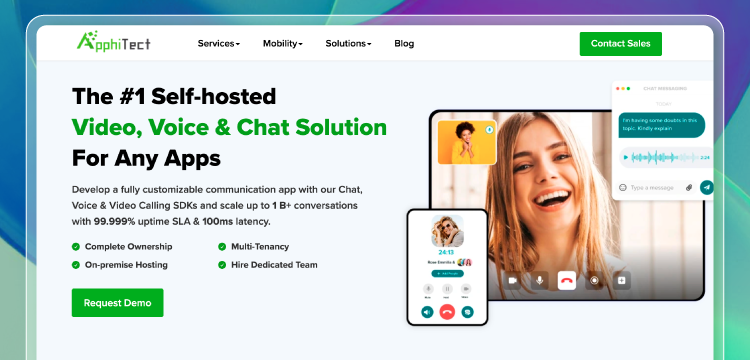
Apphitect is a Dubai-based real-time communication solution that enables startups, mid and large enterprises to create their own IM apps. The custom chat solution connects with over 100+ business tools and CRM software. Besides, it supports a multi-tenant chat server and offers teams to add, modify, or remove app features.
This flexible solution has AI moderation that detects and removes harmful content in the team chat app to maintain professionalism. It includes 1-on-1 and group messaging, HD video conferencing, screen sharing, enterprise-grade security, and more.
Key Feature Of ApphiTect
- HD Video Conferencing
- Message Reactions & Emojis
- Topic-based Chat
- 100s of Third-party Integration
- Guest Collaboration
- Threaded Conversations
- Voice Broadcasting
- Rich Media Support
- Chatbot Integration
- Upload Huge Files
- Geolocation Sharing
- Live Streaming
Reasons Teams Like Apphitect
- Rapid Team App Development: Apphitect provides a range of ready-made APIs and SDKs. This speeds up the process to develop for teams that want to add enterprise chat features.
- Complete Source Code Access: Organizations can 100% customize any part of the SDK, from features to design, and create a business-specific app.
- White-label Option: Companies add their logo, colors, & elements to showcase the IM app under their brand.
What Can They Improve
- Conversation tracking: Its capability as an AI assistant to capture and summarize team discussions in real-time is still in beta version.

2. Microsoft Teams: The Most Secure Team Messaging App
When we talk about Microsoft Teams – it’s this amazing cloud-based tool that’s been fine-tuning the way we work since 2017.
Microsoft saw how much people loved chatting and collaborating online, so they jumped in with their own instant messaging platform.
In Teams, You’ve got real-time messaging to keep the conversation flowing, video calls that make you feel like you’re in the same room, and easy file sharing. It’s perfect for keeping your team connected, whether they are all in the office or spread across the globe.
Features Your Team Will Love in MS Teams
- One-to-one chat and group chat
- Contact and conversation search
- @Mentions
- Access control and permissions
- Tabs for displaying web content
- Bots for AI-powered automation
- Calling and video meetings
- Integration with Microsoft 365 apps
- Channels for topic-based conversations
- Intelligent meeting recap with AI-generated notes and highlights
- Customizable chat interface and filters
- Secure collaboration with external users
Pricing:
Teams are available in 3 different pricing plans:
- MS Teams Essentials: ₹115/ user/ month
- MS 365 Business Basic: ₹145/ user/ month
- MS 365 Business Standard: ₹770/ user/ month
3. MirrorFly IM: Custom Instant Messaging Solution

MirrorFly is a white-label instant messaging solution that allows businesses of all sizes to integrate video, voice, and chat features into any web or mobile apps. Teams get full source code access to personalize any features and workflows. It provides real-time messaging, AES encryption, topic-based channels, third-party integration, and more.
Not only that, MirrorFly EIM solution operates 24/7 and automates tasks such as CRM updates, conversation summaries, and lead qualification. In short, it enables organizations to build team chat apps that boost efficiency and keep team members productive.
Key Feature Of MirrorFly
- Private and Group Chats
- Read Receipts And Delivery Status
- Message History & Backup
- Chat Moderation Tools
- Push Notifications
- File and Media Sharing
- Real-Time Messaging
- AI Voice Assistants
- AI Chatbots
- Guardrails & AI Moderation
- AI Customer Service Assistants
Reasons Corporate like MirrorFly
- Complete Customization: MirrorFly allows teams to fully customize their enterprise chat experience, including features and functionality, enabling businesses to tailor the platform to their specific needs and branding requirements.
- Flexible Deployment: Based on the company’s requirements, you can choose between on-premise and cloud hosting options.
- Unlimited File Sharing: Teams can share large files without any restrictions, thereby exchanging high-quality media and documents seamlessly.
Where Can They Improve?
- Conversation coach feature: MirrorFly AI-powered feature ‘conversation coach’ is still under beta version and not fully rolled out.
🚨 Want to upgrade your chat system with AI? Check out the best white-label AI chat software for enterprise apps
4. Slack: Highly Flexible App For Team Communication
If you are reading about team communication apps, there are a million chances you know Slack already.
Fun fact: Slack actually started as a way for some game developers to chat while they were building a game. But the twist was, their chat tool ended up being way more popular than their game!
One of the best things about Slack is, it plays nice with pretty much every other app or plugin out there. You can give your teams a full fledged communication experience along with the tools they use on a daily basis.
Our favorite is the trello extension, where most of the chats can be converted into tasks and we can see it all as a gantt chart. Amazing right?
Features Your Team Will Love in Slack
- Public and private channels
- Direct messages and group DMs
- Threaded conversations
- Searchable message history
- Integrations with 2,400+ apps
- File sharing and storage
- Voice and video calls
- Screen sharing
- Notifications and reminders
- Workflow builder for automation
- Customizable sidebar and themes
Pricing:
Slack comes in 4 different pricing plans:
- Free
- Pro: ₹245/ month
- Business+: ₹422.10/ month
- Enterprise Grid: Custom plan
5. Google Chat: The Easy-To-Use Office Chat App
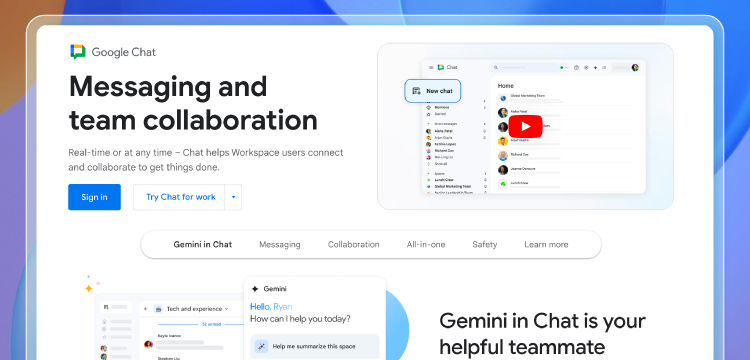
Google Chat is a communication platform developed by Google. It was initially launched as Hangouts Chat in March 2017. In April 2020, it was rebranded to Google Chat, expanding its features to enhance team communication and productivity.
What we loved about Google Chat when we tested it for months is its seamless integration with Google Workspace apps, including Google Drive, Calendar, and Meet. It made it all efficient about file sharing and scheduling.
We also were impressed with its robust security features and its plans to incorporate AI to take team communication to the next levels.
Features Your Team Will Love in Google Chat
- Rooms for team conversations
- Direct messages
- Spaces for topic-based discussions
- File sharing and Google Workspace integration
- Search across messages and files
- Notifications and reminders
- Bots and slash commands
- Customizable emojis and statuses
- Pinned items and saved items
- Presence indicators
6. Zoho Cliq: The Team Chat App With A Sleek & Smooth Ui
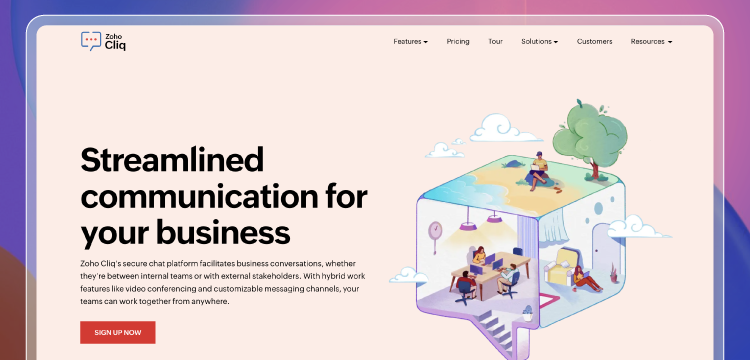
Zoho Cliq is a game-changing team communication and collaboration platform launched by Zoho Corporation in 2017. It boasts over 270 million monthly active users as of 2022 with its intuitive interface, real-time messaging, and seamless integration capabilities.
Some of its recent updates have introduced intelligent conference rooms, live events hosting, and a robust developer platform for building custom internal tools and automating workflows.
Whether your team is in-office, remote, or somewhere in between, Zoho Cliq is sure-shot your ticket to building a more connected, efficient, and engaged workplace.
Features Your Team Will Love in Zoho Cliq
- Public and private channels
- One-on-one and group chats
- Threaded conversations
- Searchable message history
- File sharing and storage
- Voice and video calls
- Screen sharing
- Polls and surveys
- Reminders and to-do lists
- Integrations with Zoho and third-party apps
- Customizable themes and emojis
Pricing
Slack comes in 4 different pricing plans:
- Free
- Standard: ₹750 / month (for 25 users)
- Professional : ₹100/ month (for min. 10 users)
- Enterprise: ₹200/ month (for min. 10 users)
7. Twilio: SaaS Application-Based Instant Messaging Software
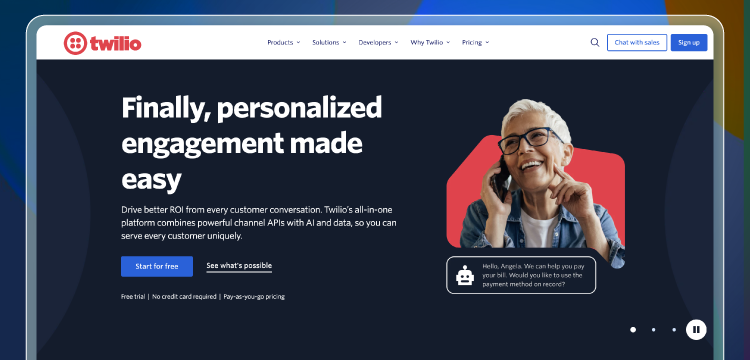
Twilio offers a cloud-based communication platform that lets developers use APIs to build apps that can make and get phone calls, send and receive texts, and do other communication tasks.
These tools help teams work together better. They’ve got some amazing features like group chats, sharing files, and video calls. Businesses of any size can use Twilio because it grows with their needs.
But if you compare it to MirrorFly, you might need tech expertise to set up and customize Twilio to fit your needs.
Key Feature Of Twilio
- Programmable chat API for custom integrations
- Serverless functions for building chatbots
- Typing indicators and read receipts
- Offline messaging and push notifications
- Configurable user roles and permissions
- Flexible message storage options
- Scalable architecture for high-volume enterprise messaging
- Detailed usage analytics and reporting
- Omnichannel support including SMS and WhatsApp
- Compliance with industry standards like HIPAA and PCI DSS
Reasons Teams Like Twilio
- Programmable Messaging API: Twilio is flexible in creating custom enterprise messaging solutions and allows teams to integrate SMS, MMS, and chat functionalities seamlessly into their applications.
- Omnichannel Capabilities: The ability to communicate across multiple channels, including SMS, WhatsApp, and email, enables teams to reach customers on their preferred platforms.
- Robust Analytics and Reporting: Twilio provides detailed insights into messaging performance on apps, allowing teams to track engagement metrics and optimize their communication strategies effectively.
What Can They Improve
- Complex Pricing Structure: Some users find Twilio’s pricing model to be complex and potentially expensive, especially for small businesses or startups that may have limited budgets.
- Not Easy To Use: The extensive range of features and APIs can be overwhelming for new users, necessitating a more intuitive onboarding process and better documentation to facilitate easier adoption.
8. Discord: The Friendliest App For Team Messaging
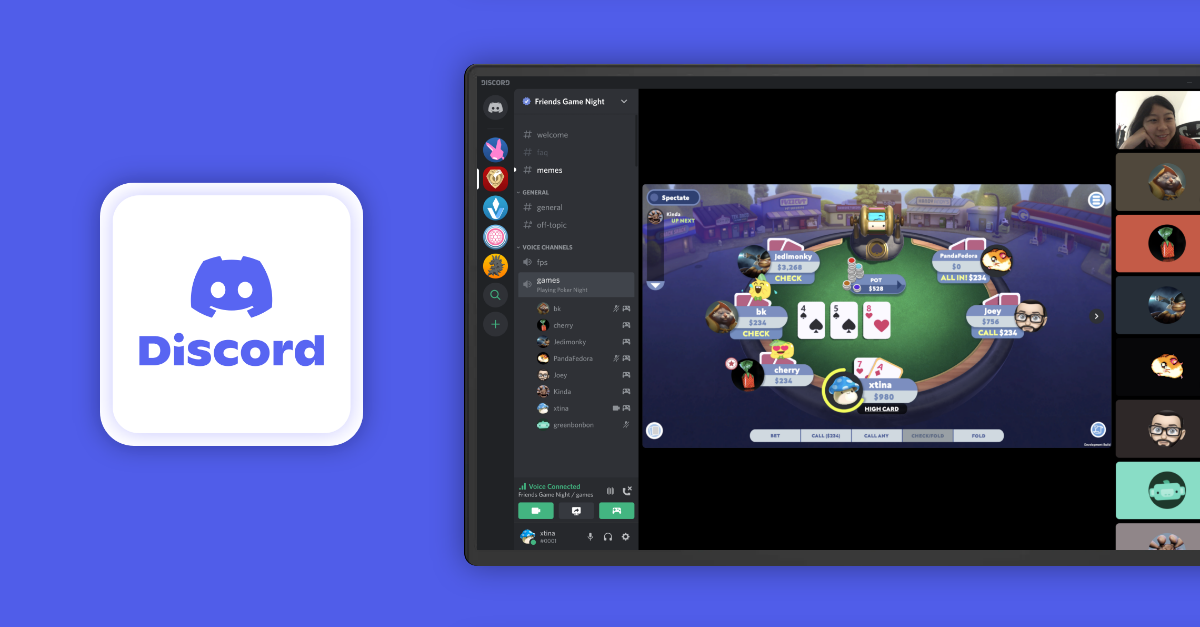
Discord, a communication platform that’s been the favorite particularly for techies since its launch in 2015. Originally developed by Jason Citron and Stan Vishnevskiy as a solution for gamers, Discord has evolved into something much bigger now.
It has basically become a go-to hub for all sorts of communities around the world, already accommodating an impressive 150 million monthly active users.
The platform’s cross-platform accessibility and user-friendly interface are big selling points, making it easy for people to stay connected whether they’re on their phone or computer. Whether you’re looking to build a community, collaborate with colleagues, or just chat with friends, Discord offers a robust set of tools to make it happen.
Features Your Team Will Love in Discord
- Text channels for conversations
- Voice channels for audio
- Video channels for video calls
- Direct messages
- Threaded replies
- File sharing and attachments
- Searchable message history
- Roles and permissions
- Bots and slash commands
- Emojis and custom emojis
Pricing
Discord comes in 2 different pricing plans:
- Nitro Basic
- Nitro
Now, you know these apps are great. But they are still third-party apps and you will not have all the control over these platforms.
The other way around, you can build team messaging apps on your own. No, we assure it’s not going to be as overwhelming as developing from scratching, writing all the codes and stuff.
Rather, there are pre-built solutions that let you build your own instant messaging for business for internal communication, quicker, smoother, and secure.
9. Rocket.chat: Enterprise Chat Software for Teams
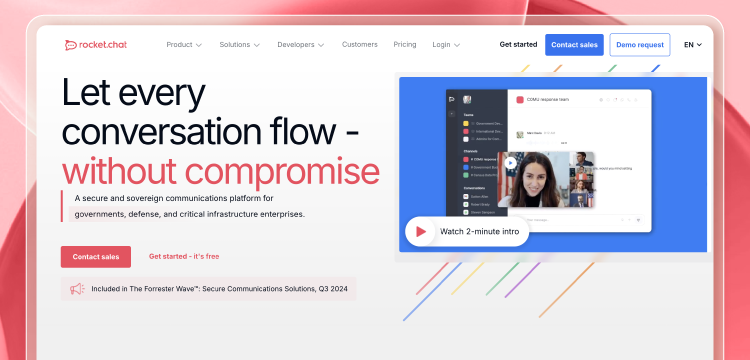
Rocket.Chat is a team communication platform that anyone can use for free. It lets teams message , share files, and have video meetings. Companies can host it on their own servers so they have more control over their data and security.
Because Rocket.Chat is open-source, companies can make it fit their team communication needs. They can also connect it to other tools they use. This makes it great for businesses that need something specific.
Key Feature Of Rocket.Chat
- Open-source platform with flexible deployment options
- Unlimited users, channels, and message history
- Live chat for website visitor engagement
- Omnichannel support for calls, video, and social media
- Integrations with 100+ apps and services
- Custom emojis and slash commands
- Livechat bot builder with pre-built templates
- Secure end-to-end encryption
- Granular permissions and roles
- Compliance with GDPR, HIPAA, and more
Reasons Teams Like Rocket.Chat
- Open-source Flexibility: Rocket.Chat’s open-source design lets teams tweak the software to fit their needs giving them full control over their enterprise chat system.
- Comprehensive Omnichannel Support: The option to combine different chat channels such as live chat, video, and social media, makes Rocket.Chat a flexible choice for companies wanting to connect with customers on many platforms.
- Strong Security Features: Teams value Rocket.Chat’s focus on security, which includes end-to-end encryption and adherence to data protection laws. This matters a lot to keep users’ trust.
Areas for Improvement
- User Experience Consistency: Some people have noticed that the user experience isn’t the same across different devices and platforms. This shows that the design and features need to be more consistent.
- Performance Issues with Large Teams: When big teams use Rocket.Chat, it can slow down. This means the system needs to be improved to handle lots of users better.
10. Cometchat: In-app Chat SDK & API For Messaging and Calling
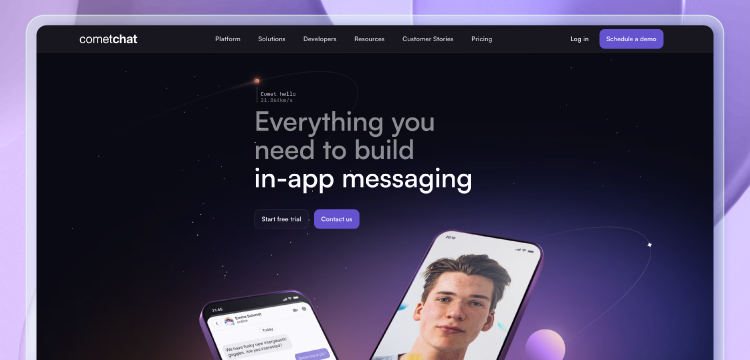
Cometchat provides APIs and SDKs to add chat, voice, and video to business apps. It’s a CPaaS company. Their products can grow with your needs and keep your platform secure. They offer things like end-to-end encryption and follow the rules set by regulators.
Cometchat’s chat API has features like group messaging, file sharing, and typing indicators. These features can make team collaboration better.
The platform also gives pre-built UI components and ways to customize. This helps companies create a branded way to communicate.
Key Feature Of CometChat
- Customizable UI components and themes
- Presence indicators and last seen timestamps
- Typing indicators and read receipts
- Attachment uploads and file sharing
- Emojis, rich text formatting, and code snippets
- Moderation tools like blocking, banning, and reporting
- Serverless functions for building enterprise chatbots
- Detailed usage analytics and reporting
- Scalable architecture with 99.99% uptime SLA
- Compliance with HIPAA, GDPR, and PCI DSS
Reasons Teams Like CometChat
- Highly Customizable UI Components: CometChat lets teams make a custom user interface that matches their brand. This makes the user experience better overall.
- Rich Media Support: The platform works with different types of media such as images, videos, and files. This makes it easy for teams to share rich content when they talk.
- Scalable Architecture: CometChat’s system is built to grow . This makes it good for all kinds of businesses, from new startups to enterprises.
Areas for Improvement
- Limited Advanced Features: CometChat should actually consider incorporating additional elements like chatbots based on artificial intelligence or analytics features in order to increase effectiveness in exchanging ideas.
- Documentation and Support: Users have noted that the documentation could be more comprehensive, and better customer support would help teams resolve issues more quickly and effectively.
11. Troop Messenger: Secure Team Communication Software
Troop Messenger is a feature-rich team collaboration app that includes real-time messaging, group chats, audio calls, video conferencing, file sharing, and more. It’s available on the Play Store and supports cross-platform usage. The intelligent assistant ‘AI buddy’ summarizes chats, drafts replies, and even refines message tone.
It focuses on improving user experience, message syncing on mobile devices, and expanded language support. The 30-day history feature allows enhanced search capabilities for the teams.
Key Features of Troop Messenger
- One-on-one & group chat
- Burnout chat feature
- Bulk messaging option
- Advanced search or filters
- Admin controls & analytics
- End-to-end encryption
- Enterprise-grade collaboration
- Multi-lingual capability
- Remote screen share
- Multi-platform support
Reasons Teams Like Troop Messenger
- Uniform sync on all devices: Troop Messenger ensures that chats, messages, and calls are updated in real-time on desktop, web, and mobile platforms. Teams can switch devices without losing data.
- File attachment preview: It allows users to view text files, images, videos, and PDFs directly within the interface without downloading them.
- Burnout privacy feature: This confidential chat window allows the team member to chat in private within a particular time period. The conversation gets deleted automatically once the timer expires.
What Can They Improve
- No Offline Mode: Users have noted that the mobile app would be good with an offline mode, and improve usability even without a constant internet connection.
- Feature Gaps: While Troop Messenger offers core collaboration tools, it lacks some advanced features and specialized integrations found in other platforms in the market.
12. Pumble: Developer-friendly Instant Messaging Software
Pumble is a free business instant messaging tool and is well-suited to remote or hybrid teams. It offers 1-on-1 messages, group chats, file sharing, and video conferencing across desktop and mobile apps. The key advantages include unlimited users and permanent message history. Additionally, teams can zoom in or zoom out their screen during a video presentation.
Key Feature Of Pumble
- Guest access for collaboration
- Mentions and notifications
- Public or private channels
- Draft and schedule message
- Reply directly via threads
- Voice and video messaging
- External tools integration
- Unlimited chat & message
- Set user profile status
- Message Reactions
Reasons Teams Like Pumble
- Unlimited message history: This feature is available across all plans and stores all the files and links that were sent previously.
- User-friendly layout: The chat app design is very intuitive and gives access to advanced features without any steep learning curve.
What Can They Improve
- No read receipts: Pumble lacks this feature. So users won’t know whether the coworker has seen the message unless they leave a reaction or respond.
- Pay for basic features: It would be good to have features such as screen sharing and group video calls in the free plan. It comes only in a paid plan.
13. Flock: The all-in-one platform for team chat and task management
Flock is a cloud-based team messaging and collaboration platform. It streamlines business communication through direct messages, channels, and video conferencing. The platform also supports file sharing, screen sharing, guest access, and integrations with Google Drive and Jira.
Recently, the issues with image loading and notification panel bugs were fixed for the iOS platform. Its Pro plan is more affordable than most other competitors.
Key Feature Of Flock
- Public or private channels
- 1-1 & group chat
- Advanced search capability
- Built-in video meeting
- External collaboration
- Third-party app integrations
- Code snippet sharing
- Screen sharing
- Shared to-dos
- Built-in polls
Reasons Teams Like Flock
- Project Task Management: Flock allows team members to create, assign, and set reminders of project tasks within the chat channels.
- Seamless File Sharing: Teams can send files, images, and documents securely in real-time, and the platform makes it easy to share.
What Can They Improve
- Limited integrations: The platform connects with fewer third-party tools when compared to competitors. This limitation should be addressed.
- Mobile performance issues: Sometimes the app lags, and loading times become slow during video calls on mobile devices.
14. Trengo: AI-powered customer engagement platform
Trengo is an omnichannel customer engagement platform that centralizes communication. It unifies conversation across WhatsApp, email, and other social media in one place. This enhances team collaboration, and it also supports features such as internal tagging, AI automation, and more.
Other capabilities include bot automation, chatbots, and detailed analytics. Trengo is suited for most mid-sized businesses in e-commerce, hospitality, and retail.
Key Feature Of Trengo
- Customer profile management
- Analytics & reporting
- Automated routing and rules
- WhatsApp Business API
- User roles & permissions
- AI-powered assistant
- Multi-brand support
- Voice calling
- Unified inbox
- AI-powered inbox
Reasons Teams Like Trengo
- No channel switching: As it consolidates all channels into one inbox, team members need not toggle between apps.
- Internal discussion: Teams can mention colleagues within internal notes inside a conversation to discuss a ticket without the customer noticing it.
What Can They Improve
- Limited Mobile Functionality: The mobile interface could have all the advanced features that are present on the desktop.
- Messaging Issues: Slow loading and response times are a major concern. Chat tracking bugs should be fixed.
15. Chanty: Online Collaboration Platform
Chanty is a cloud-based communication platform designed for small to medium-sized teams. Its interface is user-friendly and supports instant messaging, audio/video calls, and built-in task management.
Chanty offers a free plan and a paid business plan. In short, it focuses on providing a clean and distraction-free environment for teams.
Key Feature of Chanty
- One-on-one direct message
- Unlimited searchable history
- Two-factor authentication
- Public & private channels
- Invite external partners
- Message scheduling
- Disappearing messages
- Task management board
- Video conference
- Screen sharing
Reasons Teams Like Chanty
- High Performance: The app is fast, light, and not resource-intensive when compared to other team chat apps.
- Affordable Pricing: It includes a free plan, and the paid business plan is more affordable than leading competitors.
What Can They Improve
- Low video call quality: Sometimes it’s glitchy, and an occasional bug occurs during screen-sharing. This could be improved.
- Threading System Issue: Threads could have a dedicated sidebar, thus tracking discussions would be easier.
IM Software vs IM Platform
We have compared the differences that distinguish an instant messaging software from an instant messaging platform in this table.
| Enterprise Instant Messaging Software | Instant Messaging Platform |
| Unlimited customization | Limited or no customization |
| White-labelling option | Vendor lock-in |
| Self-hosting flexibility | Cloud hosting |
| One-time license cost | Needs recurring monthly payments |
| Allows full source code access | No access to source code |
| Business control data and infrastructure | Provider manages and controls your data |
| 100+ third-party tool integrations | Integrations are limited |
Why To Choose the Right Instant Messaging Solution for your Business?
A reliable instant messaging software should allow a 100% custom workflow that fits the team’s requirements. Here’s a checklist for the right instant messaging software:
- White-labelling Option: The software should allow adding a brand’s own logo, colors, and theme without vendor restrictions.
- On-Premise & Cloud Hosting: It should support hosting on your own physical servers for complete data ownership and offer flexible cloud hosting based on needs.
- Integration Capabilities: A solution should integrate with 100+ business tools, such as project management systems and CRMs, to streamline workflows.
- Enterprise-Grade Security: This makes sure the messages are end-to-end encrypted. It’s essential to keep communications private and protected from unwanted access.
- Lifetime license cost: The software should charge one time instead of a recurring monthly subscription.
Editor’s Recommendation
On the whole, we’d recommend you building your own instant messaging platform for your team. Because, with a pre-built solution, it can be done quickly and you can be free from security breaches and limited customizations in third-party apps.
Particularly, we’d insist you to go with whitelabel platforms for their unlimited customization options and their flexibility to handle changes without compromising on the performance and security of your apps.
Besides, they’ve also got a wide range of features your teams will enjoy using, thereby creating a more productive and engaging workplace environment.
If you’ve got queries, you can post in your comments and we’ll take quick time for research and revert as early as we can.
Want to Customize Your Instant Messaging Platform?
Drive 1+ billions of conversations on your apps with highly secure 1000+ real-time Communication Features.
Get Free Demo Your Server
-
Your Database
-
Your Files

Frequently Asked Questions about Instant Messaging Platforms
What are instant messaging programs?
Instant messaging programs are apps that allow users to exchange text messages and multimedia files in real-time. They include features such as push notifications, read receipts, group chats, presence indicators, and more.
How can businesses get started with messaging software?
Businesses should primarily understand whether they need messaging software for internal team collaboration, or customer communication, or both. Based on team size and customer base, pricing models, features, deployment preferences, and security requirements differ. So companies should evaluate these factors when getting started with messaging software.
Why is an IM platform so important for businesses in 2026?
Instant messaging platforms are important as they unify team collaboration and project management in one place. It streamlines enterprise businesses’ communication, enables fast customer support, and improves overall employee productivity.
Can you use messaging software without a messaging platform? [OR] Is messaging software the same as a messaging platform?
Messaging software allows customization and third-party integration to streamline business workflows. Whereas a messaging platform is a ready-made tool with default features for real-time communication.
What are the benefits of instant messaging?
Instant messaging offers real-time communication that reduces delays and eliminates email clutter. It enhances team collaboration by allowing users to share files, discuss quickly, and streamline workflows.
How is instant messaging used?
Instant messaging is a real-time communication that allows users to exchange text, voice, and video. It supports personal chats and complex business workflows.
Relevant Blogs
- How to Build an Android Chat App using Java or Kotlin?
- How to Build a React Native Chat App – A Complete Tutorial
- Build Group Video Chat App using Node.js + WebRTC
